
Are you tired of seeing unwanted content on TikTok? Maybe someone is bothering you, or you just want to keep your feed clean and positive.
Blocking accounts on TikTok is the simplest way to take control of your experience. You’ll learn exactly how to block accounts quickly and easily. By the end, you’ll feel confident managing who can interact with you and what shows up on your screen.
Keep reading to discover the step-by-step method that puts you back in charge of your TikTok world.
Credit: www.avast.com
Why Block Accounts On Tiktok
Blocking accounts on TikTok helps you manage your experience on the app. It keeps your space safe and comfortable. You can decide who interacts with you and what content you see. Blocking is a simple way to stay in control. It stops unwanted messages and videos from disturbing you.
Protecting Your Privacy
Privacy matters on social media. Blocking stops others from seeing your posts and profile. It prevents strangers from following you or sending messages. This control helps you keep personal details safe. You choose who can view your TikTok content.
Avoiding Harassment
Harassment can happen on any social platform. Blocking stops bullies and trolls from contacting you. It removes negative comments and unwanted attention. You create a peaceful space by cutting off harmful users. This action protects your mental health.
Controlling Content
Not all TikTok videos suit everyone. Blocking lets you avoid content you dislike or find upsetting. You stop seeing videos from certain accounts in your feed. This keeps your TikTok experience fun and positive. You shape what appears on your screen.
Ways To Block Accounts
Blocking accounts on TikTok helps keep your experience safe and comfortable. There are several ways to block users depending on where you find them. Each method is simple and quick.
Blocking From Profile
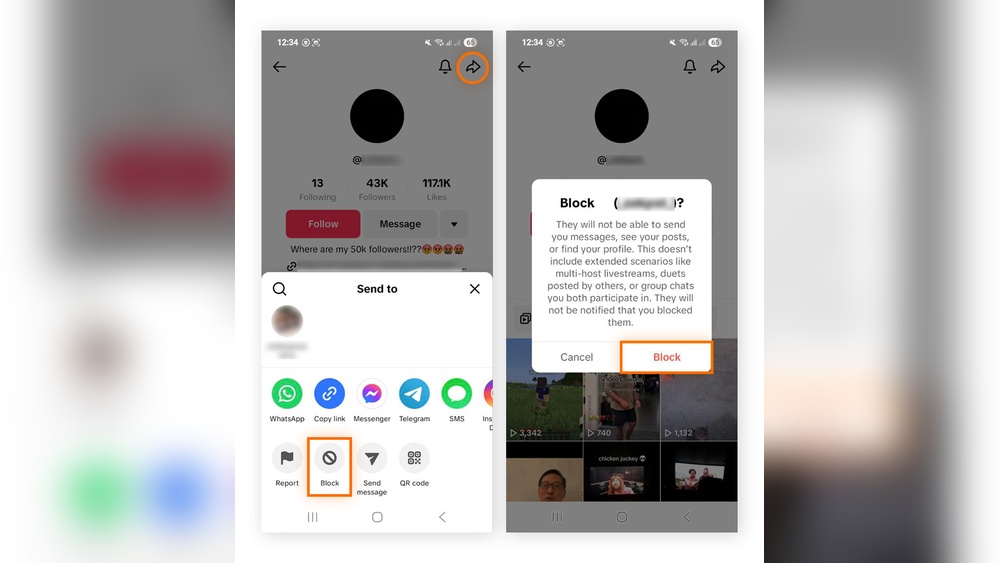
Go to the profile of the user you want to block. Tap the three dots icon at the top right. Select “Block” from the menu. Confirm your choice. This stops the user from interacting with you.
Blocking From Comments
Find a comment from the user you want to block. Press and hold the comment or tap the three dots next to it. Choose “Block” from the options. This prevents the user from commenting on your videos.
Blocking From Messages
Open the chat with the user you want to block. Tap the three dots or “More” option in the chat window. Select “Block” to stop receiving messages from them. The user will no longer be able to message you.
Step-by-step Blocking Guide
Blocking accounts on TikTok helps control your experience. It stops unwanted users from seeing your content or interacting with you. Follow this simple guide to block an account quickly. Each step is easy to follow, even for beginners.
Accessing The User Profile
Open the TikTok app on your phone. Use the search bar to find the user you want to block. Tap the username to open their profile page. This page shows their videos and information.
Using The Block Option
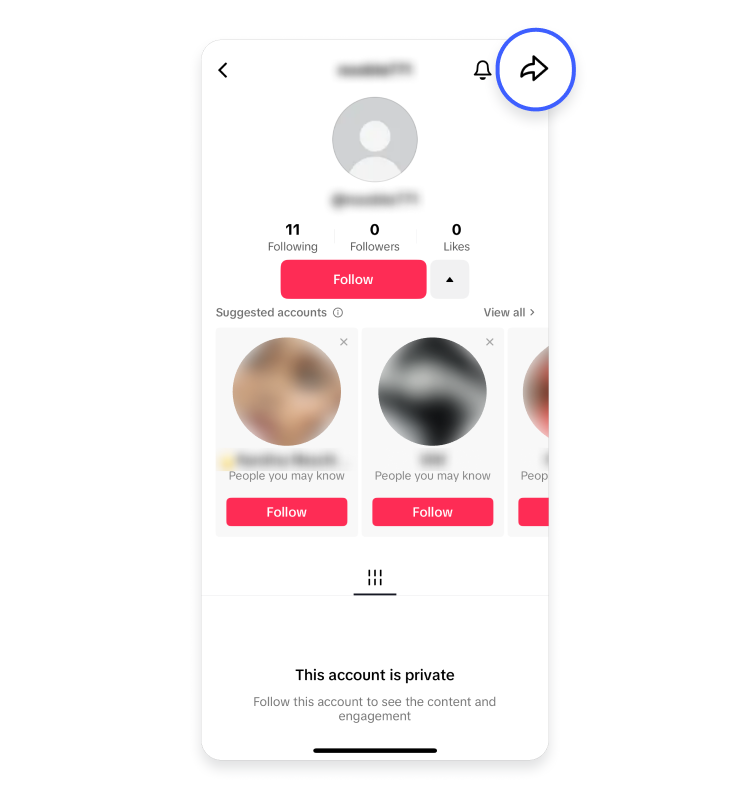
Look for the three dots icon in the top right corner of the profile. Tap the icon to open more options. Select the “Block” option from the list. This tells TikTok you want to block this user.
Confirming The Block
A confirmation message will pop up on your screen. It asks if you want to block the user. Tap “Confirm” to finish blocking. The user cannot contact you or see your content anymore.
Credit: nordvpn.com
Managing Blocked Accounts
Managing blocked accounts on TikTok helps you control your app experience. It keeps your feed safe and free from unwanted content. Knowing how to manage these accounts ensures you stay in charge of your privacy and interactions.
Viewing Blocked List
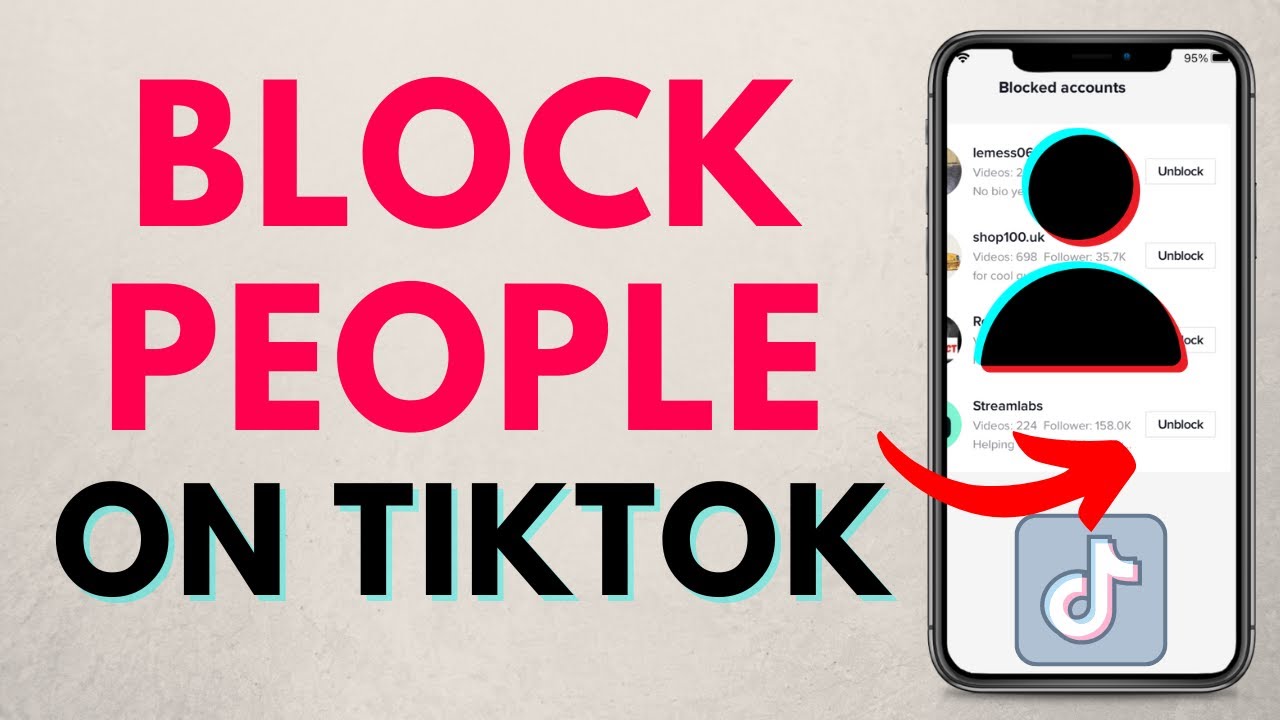
To see who you blocked, open TikTok and go to your profile. Tap the three lines in the top right corner. Select “Settings and Privacy,” then find “Privacy.” Scroll down and tap “Blocked Accounts.” Here, you see the list of users you blocked. You can review this list anytime to check who is blocked.
Unblocking Users
Want to unblock someone? Go to your blocked list. Find the user you want to unblock. Tap on their name to open their profile. Click the “Unblock” button. This lets the user see your content again. Unblocking is quick and easy. You control who stays blocked or not.
Adjusting Privacy Settings
Privacy settings help you control who can interact with you. In “Settings and Privacy,” select “Privacy.” Choose options like “Who Can Send You Messages” or “Who Can View Your Videos.” Adjust these to limit interactions without blocking. These settings give more control over your TikTok experience.
Tips For Staying Safe On Tiktok
Staying safe on TikTok is very important. The platform is fun but also has risks. Protecting your privacy and avoiding harmful content helps you enjoy TikTok without worries. Use the tools TikTok offers to keep your account secure and your experience positive.
Setting Account To Private
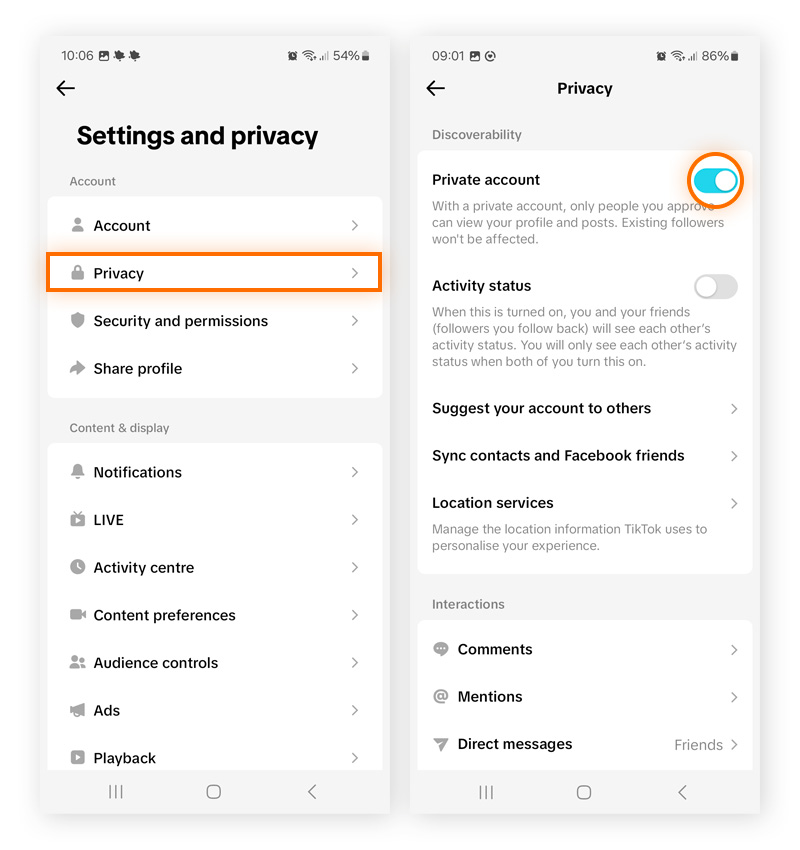
Make your TikTok account private to control who sees your videos. Only people you approve can follow you and watch your posts. This stops strangers from viewing or commenting on your content. It is easy to do and adds a strong layer of protection.
Reporting Inappropriate Content
See something wrong on TikTok? Report it immediately. TikTok reviews reports and removes harmful or inappropriate content. Reporting helps keep the community safe for everyone. Find the report option on any video, comment, or message that feels unsafe.
Using Screen Time Controls
Set limits on how long you use TikTok each day. Screen time controls help prevent spending too much time on the app. They also reduce exposure to negative content. You can set these controls in the app settings. It is good for both kids and adults.
Credit: www.youtube.com
Frequently Asked Questions
How Do I Block A User On Tiktok?
To block a user on TikTok, visit their profile, tap the three dots, and select “Block. ” This prevents them from viewing your content or interacting with you.
Can I Unblock Someone On Tiktok Later?
Yes, you can unblock users anytime by going to your blocked list in settings and selecting “Unblock” next to their name.
Will Blocked Users Know They Are Blocked?
No, TikTok does not notify users when they are blocked. They simply cannot access your profile or send messages.
Does Blocking Affect Mutual Followers On Tiktok?
Blocking removes all interactions with that user, but it does not affect your mutual followers or their follow status.
Conclusion
Blocking accounts on TikTok helps keep your experience safe and pleasant. You control who can see and interact with your content. The steps are simple and quick to follow. Remember to review your blocked list regularly to manage unwanted contacts.
Staying in control of your online space makes TikTok more enjoyable. Practice these tips whenever you feel uncomfortable with any user. Your peace of mind matters the most.


